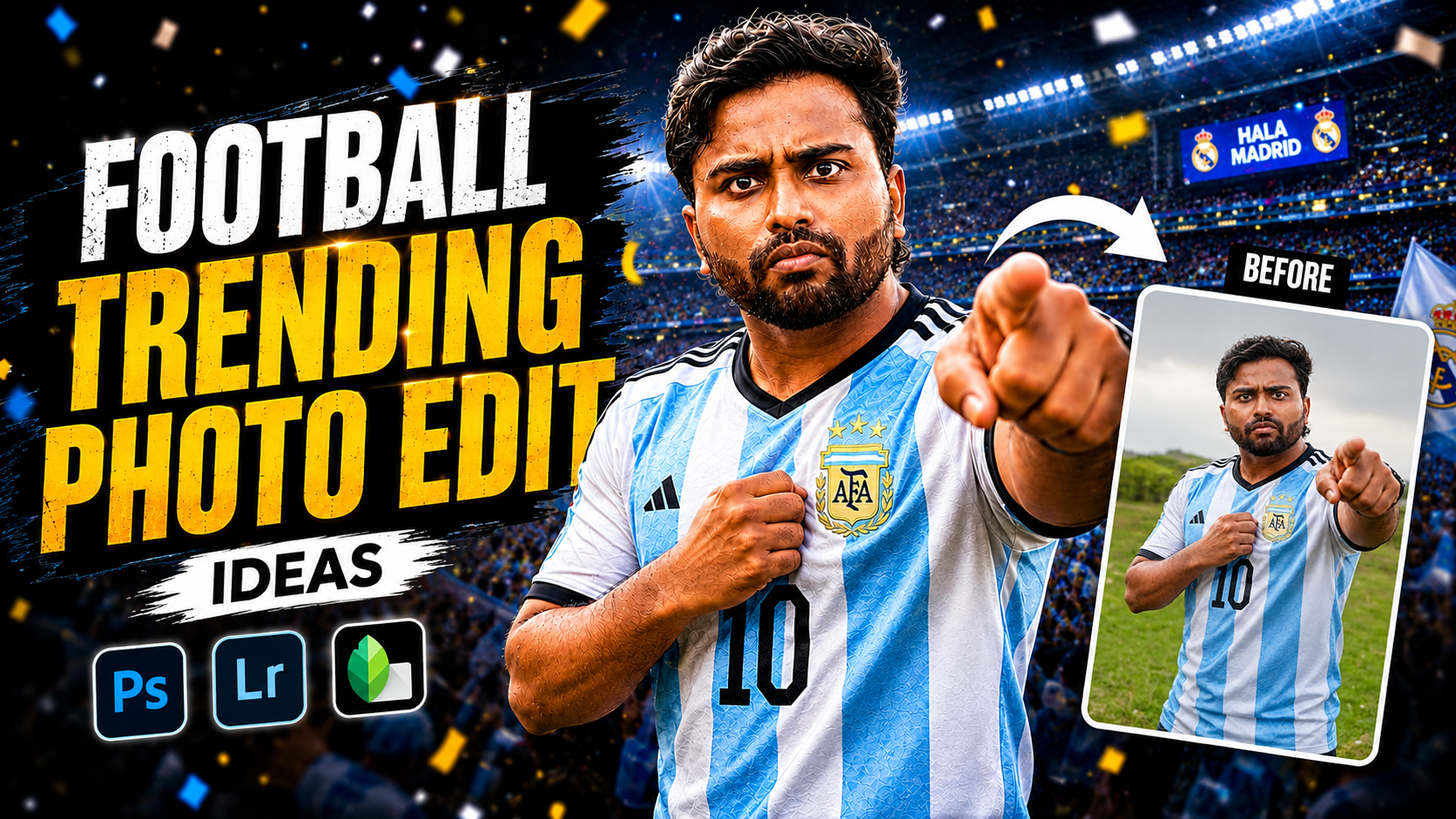
Hello friends, today we are going to try something useful with this topic of football trending photo editing ideas. Maybe you clicked some amazing match photos, but after posting them they look flat, dark, or not as exciting as the game felt. This guide will help you turn those normal football images into eye catching edits that actually get saves, shares, and comments.
We will go step by step through styles that are popular on Instagram, YouTube thumbnails, and reels covers. You will see how to get neon effects, dramatic stadium looks, clean poster layouts, and smart text placement without over editing. The goal is simple, keep the energy of real football while using modern editing tricks that look professional, not fake.
This guide is for anyone who shoots football on mobile, whether you are a player, friend in the stands, student creator, or small football academy. You do not need expensive software. The ideas here work in free apps like Snapseed, Lightroom Mobile, PicsArt, CapCut photo editor, and similar tools. Where steps depend on app versions, treat them as a pattern that you can adapt.
Along the way, we will also talk about practical problems that real editors face. Blurry night shots, noisy ISO, over bright jerseys, cluttered backgrounds, and watermark issues are all common in football photography. I will show editing flows that reduce these issues and prepare your visuals for reels covers, story highlights, and even banner prints if needed.
Related Resource
The Prompt Link button above opens the related resource for Foot Ball Trending Photo Editing Ideas. It is included so readers can reach the mentioned page directly.

Core workflow before any creative effect
Before trying trendy looks, fix the basics. If the base image is weak, no filter can save it.
- Crop first. Bring the ball and player faces closer. Remove empty grass and random people at the edge.
- Straighten the frame so goal posts and touch line do not tilt awkwardly.
- Adjust exposure and contrast so jerseys and faces are clear. Watch that white kits do not lose detail.
- Use selective sharpening only on the player and ball, not on the whole image, to avoid crunchy grass texture.
Trending football editing ideas you can try
1. Neon motion streak action shot
One of the most popular styles right now is adding neon streaks that follow the ball or player movement. This looks good on sprint, dribble, or shooting frames.
- Pick an action photo where the direction of movement is clear.
- Increase vibrance slightly, then reduce overall saturation a bit so neon lines stand out later.
- In an app like PicsArt or similar, use brush or shape tools to paint curved lines behind the player or ball. Choose bright cyan, electric blue, or lime green.
- Set blend mode to screen, overlay, or add, and reduce opacity until it looks integrated, not pasted.
- Add a light radial glow around the ball using a soft white or colored brush with very low opacity.
Real world use case, this style works perfectly for reel covers that show a key moment, such as a free kick or winning goal. Just remember, heavy neon on a noisy night photo can look messy, so keep the background a bit darker using vignette or selective darkening.
2. Dark stadium, spotlight on the player
Another trending idea is a cinematic spotlight, where everything fades dark and only one player or small group is highlighted like a hero poster.
- Open the photo in Lightroom Mobile or Snapseed.
- Lower overall exposure slightly, then lift shadows on the player so they still have detail.
- Use radial selection around the player and increase exposure and clarity inside that circle.
- Outside the circle, cut saturation and add a bit of blur where the app allows, for example Lens Blur in Snapseed.
- Finish with a soft vignette that darkens corners but does not turn them completely black.
This look is great for announcing man of the match, captain reveal, or new jersey launch. It also hides busy or ugly stadium backgrounds, which is useful for community grounds with many distractions.
3. Clean match day poster with text
For clubs and college teams, the most useful edit is a match day poster that can be shared on WhatsApp, stories, and feeds.
- Start with a sharp portrait or mid action frame of a key player.
- Use a background blur or remove background feature inside your editing app to isolate the player.
- Place the player on a simple gradient or solid color background that matches team colors.
- Add text blocks for match details. Use clear fonts like Montserrat, Bebas Neue, or similar strong display fonts.
- Keep three font sizes only, team names large, date and time medium, location and extra info small.
Case study style example, many small academies make the mistake of using busy photo backgrounds plus heavy text plus logos. The result is unreadable when seen as a small WhatsApp thumbnail. By isolating one player and using a clean color background, your match time and opponent name stay readable from a distance.
4. Split color before and after style
Creators often share a half normal, half edited image. It performs well as content because people like to see transformation.
- Duplicate your edited image and keep one copy unedited or lightly corrected.
- Place both copies side by side in a collage tool with no gap.
- Add a vertical shape as a separator line in the middle if your app supports it.
- Use text like Before and After or Raw and Edit in small corners, not blocking the main action.
This is a simple way to build a portfolio post for editors who take client football photos. Just avoid extreme edits on the After side. Too much skin smoothing or heavy fake grass color will reduce trust in your work.
Helpful app options for football edits
You do not need to install ten apps. One main editor and one design app are enough for most users. Here is a quick comparison that you can adapt based on what is available in your region and device store.
| App | Best For | Key Strength | Drawback To Note |
|---|---|---|---|
| Lightroom Mobile | Color grading and exposure fixes | Fine control over highlights, shadows, and presets | Needs some learning, certain tools require account login |
| Snapseed | Quick corrections and selective edits | Free with powerful selective adjust and healing | Interface feels dated, fewer graphic elements |
| PicsArt or similar | Neon effects and creative posters | Brushes, stickers, and blend modes for trendy looks | Free version shows ads, some effects behind paywall |
| Canva mobile | Match posters and social templates | Ready layouts for stories, posters, and thumbnails | Too many elements can tempt you to over decorate |
Two real world editing scenarios
Example 1, Night match with noise and yellow light
Many local grounds use strong yellow or mixed lighting. Photos come out grainy with strange skin colors.
- Reduce temperature slightly to move away from strong yellow tint.
- Lower highlights to recover jersey detail, then increase shadows a bit.
- Use moderate noise reduction. Too high will blur faces and grass texture.
- Add a little clarity and texture only on the player to restore perceived sharpness.
The realistic outcome is not a perfect studio look. You simply reduce the harsh color cast and make expressions readable, which is what matters for memories and team pages.
Example 2, Overexposed daytime training photo
Training sessions in bright sun often produce washed out skies and faces.
- In your editor, pull highlights down strongly, then reduce whites carefully.
- Add a soft gradient from the top of the frame and darken it to bring back sky mood.
- Increase contrast slightly and add a small bump to vibrance.
- If skin tone looks too red, lower orange saturation a bit and adjust luminance.
This rescued version will still show bright conditions, but with more depth in the grass and kit colors. You can then apply a subtle teal and orange preset if you like stylized looks for your team page.
Common mistakes to avoid with football edits
- Heavy HDR effect that turns grass into strange texture and creates halos around players.
- Too much sharpening, especially on low resolution images or screenshots from videos.
- Watermarks placed right on faces or the ball. If you must use a watermark, keep it small near a corner.
- Using copyrighted club logos or brand marks without permission, especially for commercial posters.
- Ignoring privacy, do not post clear close ups of minors without guardian consent, and blur faces if needed.
Conclusion
Modern football photos do not need complicated editing, but they do benefit from a clear style plan. Start with basic corrections, pick one creative direction such as neon motion, dark stadium spotlight, or clean match poster, and keep your edits consistent across your page. Choose one main app that you understand well instead of jumping between many tools for every image.
If you treat each frame as part of a story, pre match build up, live action, post match reactions, your editing choices become easier. Save a few custom presets or reuse the same text layouts so your work looks like one brand. Over time, your followers will recognize your edits even before they see your name, which is the real sign that your football editing style is working.
FAQ
Which app is best for football trending photo editing ideas on mobile
For most users a combination of Lightroom Mobile for color and PicsArt or Canva for design elements covers almost every football style. Pick what runs smoothly on your phone and learn its tools well.
How do I make my football photos look sharper
Use selective sharpening only on the player and ball, increase clarity slightly, and avoid sharpening noisy night shots too much. Also crop tighter so the subject appears sharper without extreme filters.
Can I create good edits from screenshots of video matches
Yes, but quality is lower. Choose frames with less motion blur, do gentle noise reduction, and avoid heavy zoom. These are fine for stories and reels covers, but not ideal for printing.
What image size should I use for Instagram football posts
Portrait ratio works best, for example 4 by 5 around 1080 by 1350 pixels. It fills more screen space and gives you room to show full body action and some grass or sky.
How can I keep all my team edits in one style
Create two or three presets for color and two fixed poster layouts for match day and result posts. Reuse the same fonts, colors, and logo positions so everything feels like one visual identity.
Thank you for reading. If you found these football editing ideas helpful, stay connected with this blog for more latest tech news, useful apps, AI tools, and creative editing updates.