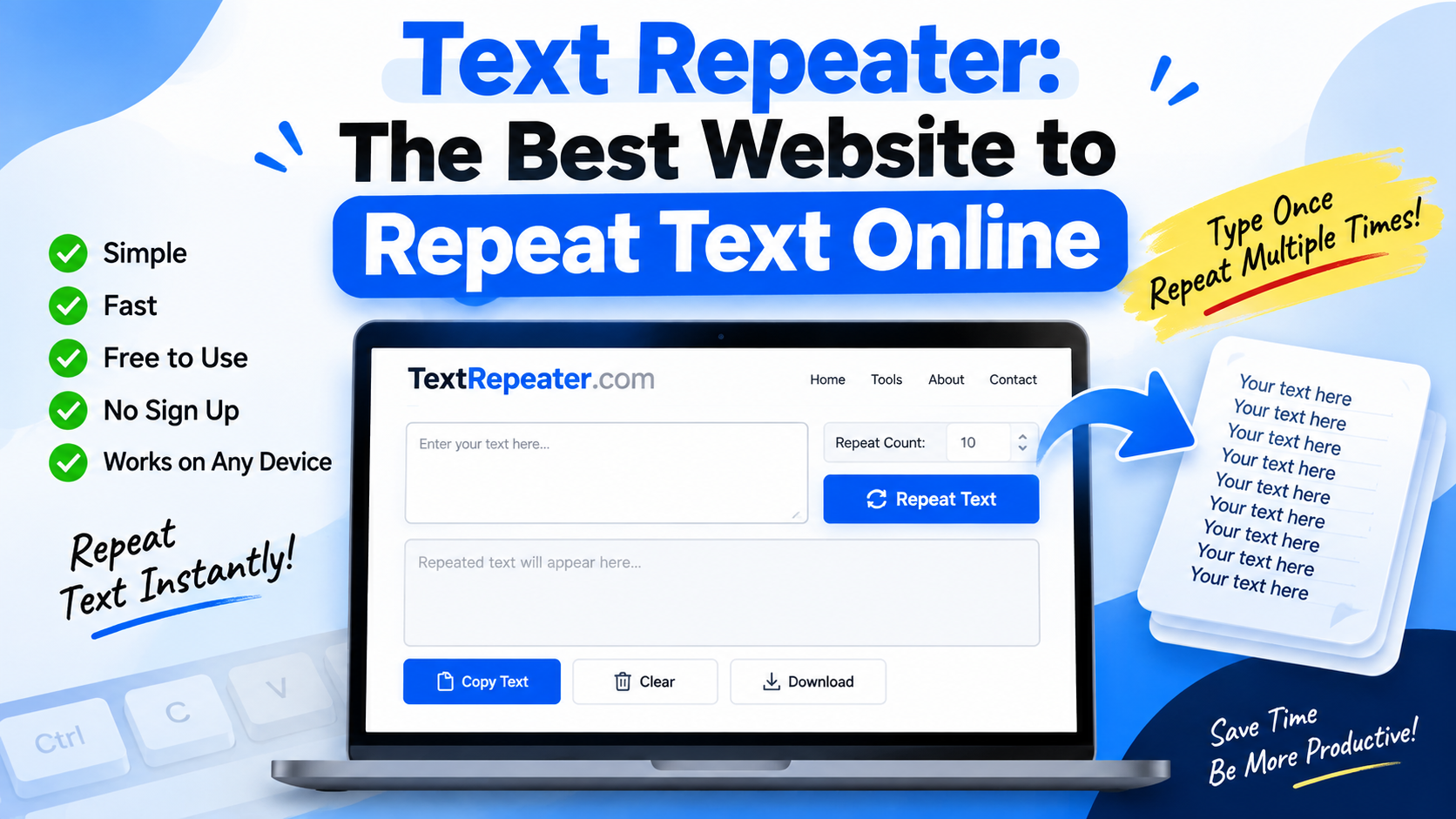
Have you ever needed to type the same word, sentence, emoji, or message again and again? Doing it manually can be boring and time-consuming, especially when you need to repeat the same text dozens or hundreds of times. This is where a Text Repeater tool can make things much easier.
A Text Repeater is a simple online tool that allows users to enter any text and repeat it as many times as they need. Instead of copying and pasting the same text repeatedly, you can simply enter the text once, choose the number of repetitions, and generate the result instantly.
There are several text repeater websites available online, but users generally look for a tool that is simple, fast, free, and works well on both smartphones and computers. One such option is TextRepeater.com, which provides an easy way to repeat text online without installing additional software.

What Is a Text Repeater?
A Text Repeater is an online utility designed to duplicate text automatically. You can enter a word, sentence, phrase, emoji, or even a longer piece of text and tell the tool how many times you want it repeated.
For example, suppose you want to repeat the word “Hello” 100 times. Instead of manually typing or copying it 100 times, you can enter “Hello” into a text repeater, select 100 repetitions, and generate the result.
Text Repeater WEBSITE
This can be useful for many different situations, including testing, social media content, messaging, demonstrations, and other simple tasks where repeated text is required.

TextRepeater.com – A Simple Option for Repeating Text
When choosing a text repeater website, simplicity is important. Most people do not want to create an account, download an application, or go through complicated settings just to repeat a small piece of text.
TextRepeater.com is designed around this simple concept. Users can enter their text, choose how many times they want it repeated, and generate the output directly in the browser.
The website can be accessed from a desktop computer as well as a smartphone. This makes it convenient when you need to quickly generate repeated text while using your phone.
Another useful feature is the ability to control how the repeated text is separated. Depending on the available options, you can place each repetition on a new line, separate repetitions with spaces, or use another separator.
How to Use a Text Repeater Website
Using a text repeater is generally very simple and does not require any technical knowledge.
First, open a text repeater website such as TextRepeater.com in your browser. You will usually see a text input area where you can enter the word or message you want to repeat.
Type or paste your text into the input box. Next, choose the number of times you want the text to be repeated. For example, you can select 10, 50, 100, or another number depending on your requirement.
After selecting the repetition count, choose the desired formatting or separator if the website provides those options. You can then generate the repeated text.
Once the result is created, simply copy it and paste it wherever you need it.
The entire process usually takes only a few seconds.
Repeat Words, Sentences, and Messages
A text repeater is not limited to single words. You can use it with sentences, short messages, symbols, and other types of text.
For example, if you need to repeat a particular phrase 50 times for a testing purpose, you can enter the phrase once and generate the required number of copies.
It can also be useful when testing how a website, text field, form, or application handles repeated content. Developers and designers sometimes need large amounts of sample text while testing layouts or input fields.
Instead of creating this sample content manually, a text repeater can generate it quickly.
Can You Repeat Emojis?
Yes, text repeater tools can also be useful for repeating emojis.
For example, if you want to repeat a laughing emoji, heart emoji, fire emoji, or any other Unicode character multiple times, you can copy the emoji into the text box and select the required repetition count.
This can be useful for casual messages, social media experiments, or simply creating a large sequence of emojis without manually entering each one.
However, it is always better to use repeated emojis or messages responsibly, especially when sending them through messaging platforms.
Text Repeater for WhatsApp and Social Media
One common reason people search for text repeater tools is to create repeated messages for messaging and social media.
For example, you may want to create a repeated birthday message, a sequence of emojis, or a particular phrase. A repeater tool can generate the text quickly, which saves you from repeatedly copying and pasting the same content.
The generated text can then be copied to the clipboard and pasted into another application.
However, users should keep in mind that sending extremely large repeated messages may not be appropriate on some platforms. Messaging services can have their own rules and limitations, so it is better to use these tools for legitimate and useful purposes.
Text Repeater for Testing Websites and Apps
Text repeaters can also be useful outside of messaging.
Developers and website owners may need repeated text when testing input fields, comment boxes, search fields, forms, or page layouts.
For example, if you are designing a website and want to see how a page looks when a large amount of text is entered into a particular section, you can quickly generate repeated text instead of manually creating a large sample.
This can save time during development and testing.
Content creators can also use repeated text as temporary placeholder content while designing thumbnails, webpages, graphics, or other digital projects.
Is Text Repeater Free?
Many online text repeater tools are available without requiring payment for basic text repetition. This makes them convenient for users who only need the tool occasionally.
Before using any website, it is still worth checking the features and limitations because the maximum number of repetitions and available formatting options can vary from one tool to another.
For normal requirements such as repeating a word or sentence a few dozen or a few hundred times, a simple online text repeater is usually enough.
Does Text Repeater Require an App?
One of the biggest advantages of browser-based text repeater tools is that you generally do not need to install a separate application.
You can simply open the website in Google Chrome, Safari, Microsoft Edge, Firefox, or another modern browser and start using the tool.
This is especially convenient on smartphones. If you suddenly need to repeat a particular text, you can open the website from your phone, generate the output, copy it, and close the browser.
There is no need to use storage space for another application.
Things to Keep in Mind
Although text repeater tools are simple utilities, users should still be careful about the type of information they enter.
Avoid entering passwords, private messages, confidential business information, personal documents, or other sensitive information into an online tool unless you are comfortable with its privacy practices.
For simple words, sentences, emojis, and test content, these tools can be convenient. But sensitive information should always be handled carefully.
Also, when generating thousands or millions of repetitions, the resulting text can become extremely large. This may slow down your browser or make copying the entire output difficult.
Final Thoughts
A Text Repeater is a small but useful online utility that can save time whenever you need the same text multiple times. Instead of manually typing or copying and pasting the same word or sentence again and again, you can generate the required amount of text within seconds.
TextRepeater.com is one option worth trying if you are looking for a straightforward browser-based text repeater. It can be useful for repeating words, sentences, emojis, messages, and sample text for different purposes.
Whether you are a regular internet user, content creator, student, designer, or developer, having a simple text repeater bookmarked can be handy. It may not be a tool you use every day, but when you need it, it can save a surprising amount of time.
The main advantage is its simplicity: enter your text, select the repetition count, generate the result, and copy it. No complicated process is required.
If you frequently need to create repeated text, a browser-based text repeater can be a convenient addition to your collection of online tools.
Frequently Asked Questions
What is a Text Repeater?
A Text Repeater is an online tool that automatically repeats a word, sentence, emoji, or other text according to the number of repetitions selected by the user.
What is the best website to repeat text?
There are several options available online. TextRepeater.com is one simple website that can be used to generate repeated text directly from a browser.
Can I repeat text 100 times?
Yes. Most text repeater tools allow users to specify the number of repetitions. The exact maximum may depend on the particular website.
Can I repeat emojis using a Text Repeater?
Yes. You can generally enter emojis into the text field and generate multiple repetitions of them.
Can I use a Text Repeater on my phone?
Yes. Browser-based text repeater websites can generally be accessed from smartphones, tablets, and computers without installing a separate application.
Is a Text Repeater free?
Many basic text repeater websites offer their core functionality for free, although features and usage limits can vary between websites.