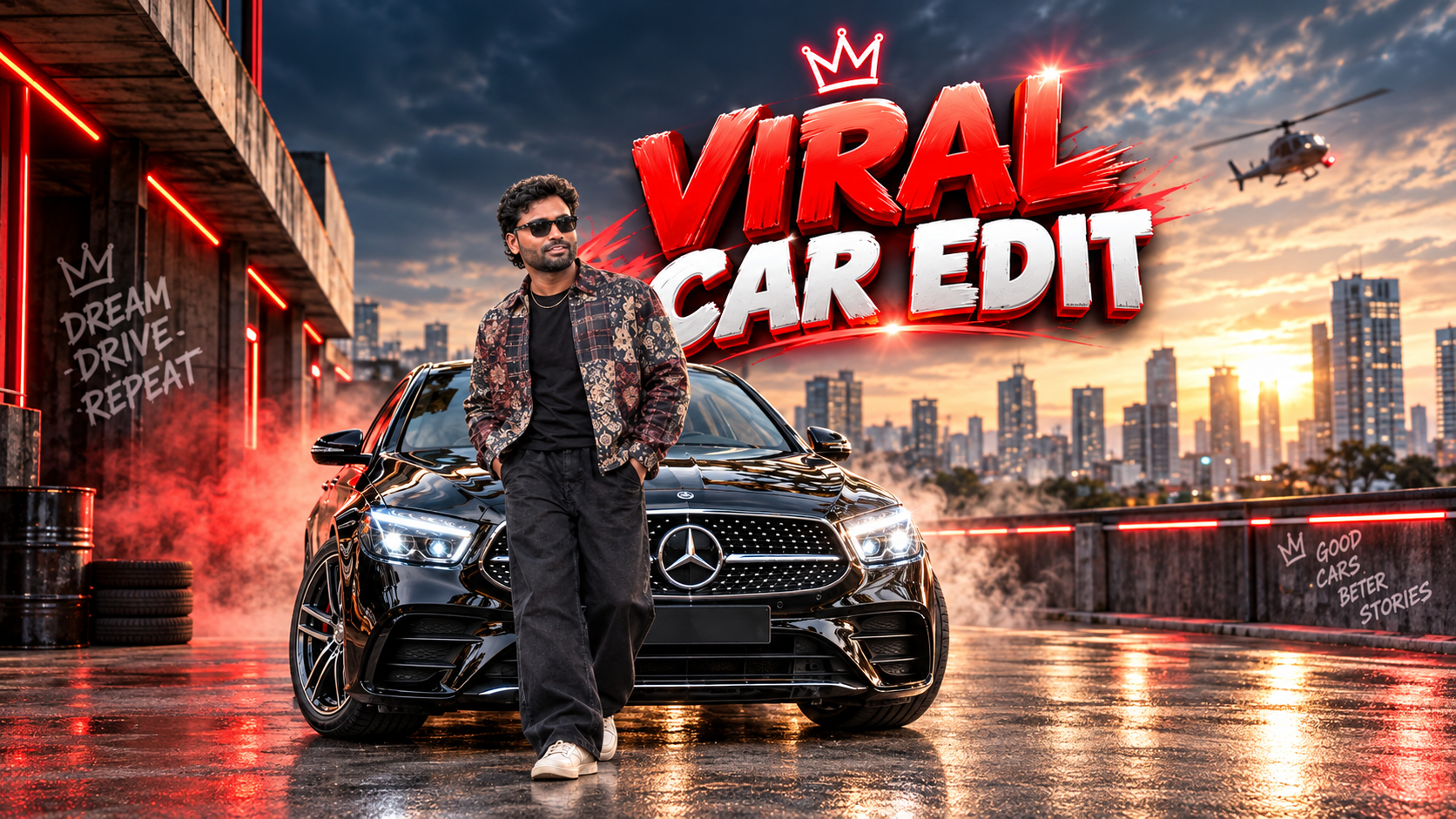
AI-generated car photography has completely changed the way automotive content can be created for Instagram, TikTok, Pinterest, and other social media platforms. Earlier, creating a premium-looking car photograph required an expensive camera, professional lighting equipment, a suitable location, and often an entire photography crew. Today, advanced AI image generators can create highly detailed automotive scenes from nothing more than a well-written prompt.
However, there is one major problem: simply typing “make a cool photo of a BMW” usually produces an average-looking result. If you want an image that actually looks like a professionally planned automotive campaign, the prompt needs to describe the subject, environment, camera, lighting, composition, and visual style in detail.
Why AI Car Photography Can Go Viral
The most successful automotive images usually have one thing in common: they create an immediate visual impact.

A low-angle sports car shot surrounded by dramatic lighting can make the vehicle look powerful and aggressive. Similarly, a luxury sedan parked outside a modern building during golden hour can create a premium lifestyle aesthetic.
The goal is not simply to make the car look expensive. The image needs to create a story.
For example, imagine a Porsche 911 GT3 sitting on a wet mountain road just after rainfall. The headlights are illuminated, the road reflects the car’s lights, mist is moving through the background, and the camera is positioned extremely low near the front wheel. That single frame immediately creates a sense of speed, performance, and exclusivity.

This is why prompt engineering matters.
1. Start With the Exact Car
The first part of an AI car photography prompt should clearly identify the vehicle.
Instead of writing:
“Create a sports car photo.”
Use something specific such as:
“2025 Porsche 911 GT3, Shark Blue paint, factory aerodynamic body kit, black center-lock wheels, Michelin performance tires, low stance.”
Including the exact model, generation, color, wheels, body kit, and other important details gives the AI a much clearer target.
If the user specifically requests a particular modification, do not leave it out. Details such as aftermarket wheels, carbon-fiber spoilers, lowered suspension, widebody kits, roof racks, or racing decals can completely change the visual identity of the vehicle.
2. Build a Strong Environment
The background is just as important as the car.
A plain parking lot usually creates a boring composition. Instead, create an environment that supports the personality of the vehicle.
For a supercar, you could use:
“Rain-soaked Tokyo street at midnight, colorful storefront signs, light fog, reflections across wet asphalt.”
For an off-road vehicle:
“Remote Himalayan mountain pass at sunrise, dusty gravel road, dramatic cliffs, cold morning mist.”
The environment should complement the car rather than distract from it.
Weather is especially useful because rain, fog, dust, snow, and atmospheric haze can add depth to an otherwise ordinary image.
3. Use a Real Camera Setup
One of the biggest mistakes people make with AI image prompts is ignoring camera characteristics.
Instead of simply saying “cinematic camera,” specify how the photograph is supposed to be captured.
For example:
“Sony A7R V, 35mm f/1.4 lens, low-angle perspective, 1/500-second shutter speed, shallow depth of field, natural lens compression.”
A 24mm or 35mm lens can create an aggressive automotive perspective when shooting close to the vehicle. An 85mm lens can produce a more compressed, premium look when photographing the car from a distance.
Camera position also matters.
A low front three-quarter angle can make a performance car appear more powerful. A rear tracking shot can communicate movement. A top-down composition can emphasize the shape and geometry of the vehicle.
4. Lighting Creates the Mood
Lighting can completely change the personality of the same car.
Golden-hour lighting produces warm highlights and long shadows. Overcast conditions create soft, evenly distributed light. Neon lighting creates a futuristic urban aesthetic.
For example:
“Soft golden-hour sunlight from behind the vehicle, subtle rim lighting along the roofline and hood, controlled highlights on the metallic paint.”
For a night scene:
“Blue and magenta neon reflections across the bodywork, headlights producing subtle atmospheric bloom, deep shadows underneath the vehicle.”
The important point is to describe where the light is coming from and how it interacts with the car.
5. Choose a Consistent Color Grade
Color grading gives the final image its overall visual identity.
A cinematic teal-and-orange grade can create a blockbuster-style appearance. A desaturated gray palette can make an image feel darker and more sophisticated. Vibrant colors can work particularly well for social media content.
You can also reference photographic characteristics:
“35mm film-inspired color response, moderate contrast, subtle grain, controlled highlights, deep blacks, natural skin-neutral color balance.”
The goal should be consistency. If the lighting is warm but the color grade is extremely cold, the image can start looking artificial.
6. Protect Automotive Accuracy
AI image generators can produce impressive results, but cars are particularly vulnerable to visual errors.
Common problems include distorted wheels, incorrect headlights, extra doors, malformed mirrors, strange reflections, stretched body panels, and incorrect badges.
Your prompt should therefore emphasize:
“Correct factory body proportions, symmetrical headlights, four correctly shaped wheels, physically plausible tire geometry, accurate panel gaps, realistic reflections, properly aligned badges.”
If the generator supports negative prompting, you can additionally specify unwanted elements such as:
“no extra wheels, no extra doors, no distorted tires, no malformed headlights, no duplicate mirrors, no warped body panels.”
This is especially important when creating images of recognizable vehicles.
7. Create Multiple Visual Directions
Don’t stop after generating one concept.
Create different versions of the same vehicle for different audiences.
Variation A: Cyberpunk Night
A modified Nissan GT-R parked on a wet Tokyo street at midnight, surrounded by neon signage, atmospheric fog, blue and magenta reflections, low front three-quarter camera angle, 35mm lens, dramatic shadows, cinematic contrast.
Variation B: Industrial Performance
A BMW M4 Competition inside an abandoned industrial warehouse, concrete floor, dusty atmosphere, shafts of sunlight entering through broken windows, low camera position, 50mm lens, muted colors, gritty motorsport-inspired composition.
These two concepts use the same basic subject but create completely different emotional reactions.
Best Aspect Ratios for Social Media
For Instagram Reels, Stories, and TikTok, use 9:16. This fills the smartphone screen and gives you more visual impact.
For Instagram feed posts, 4:5 is generally more useful because it occupies more vertical screen space than a traditional landscape image.
If you’re creating Pinterest content, vertical compositions are also particularly suitable.
Always keep the car positioned carefully inside the frame. Don’t place critical details such as headlights, wheels, or badges too close to the edges.
Final Prompt Formula
A reliable formula is:
Car + Environment + Camera + Angle + Lighting + Atmosphere + Composition + Color Grade + Accuracy Controls + Aspect Ratio
For example:
“2025 Porsche 911 GT3, Shark Blue paint, black center-lock wheels, parked on a rain-soaked Tokyo street at midnight, neon storefronts reflecting across the wet asphalt, light atmospheric fog, Sony A7R V with 35mm f/1.4 lens, extremely low front three-quarter angle, headlights illuminated, subtle motion atmosphere, controlled reflections across metallic bodywork, cinematic contrast, 35mm film-inspired color grade, accurate factory proportions, symmetrical wheels and headlights, realistic tire geometry, precise body panels and badges, clean background separation, subject filling the vertical frame –ar 9:16.”
The biggest lesson is simple: don’t ask AI to create a “cool car photo.” Tell it exactly what a professional automotive photographer would see, where they would stand, which lens they would use, how the light would hit the vehicle, and what emotion the photograph should create.
That difference can turn a generic AI-generated car image into a visually convincing piece of automotive content designed to stop the scroll.