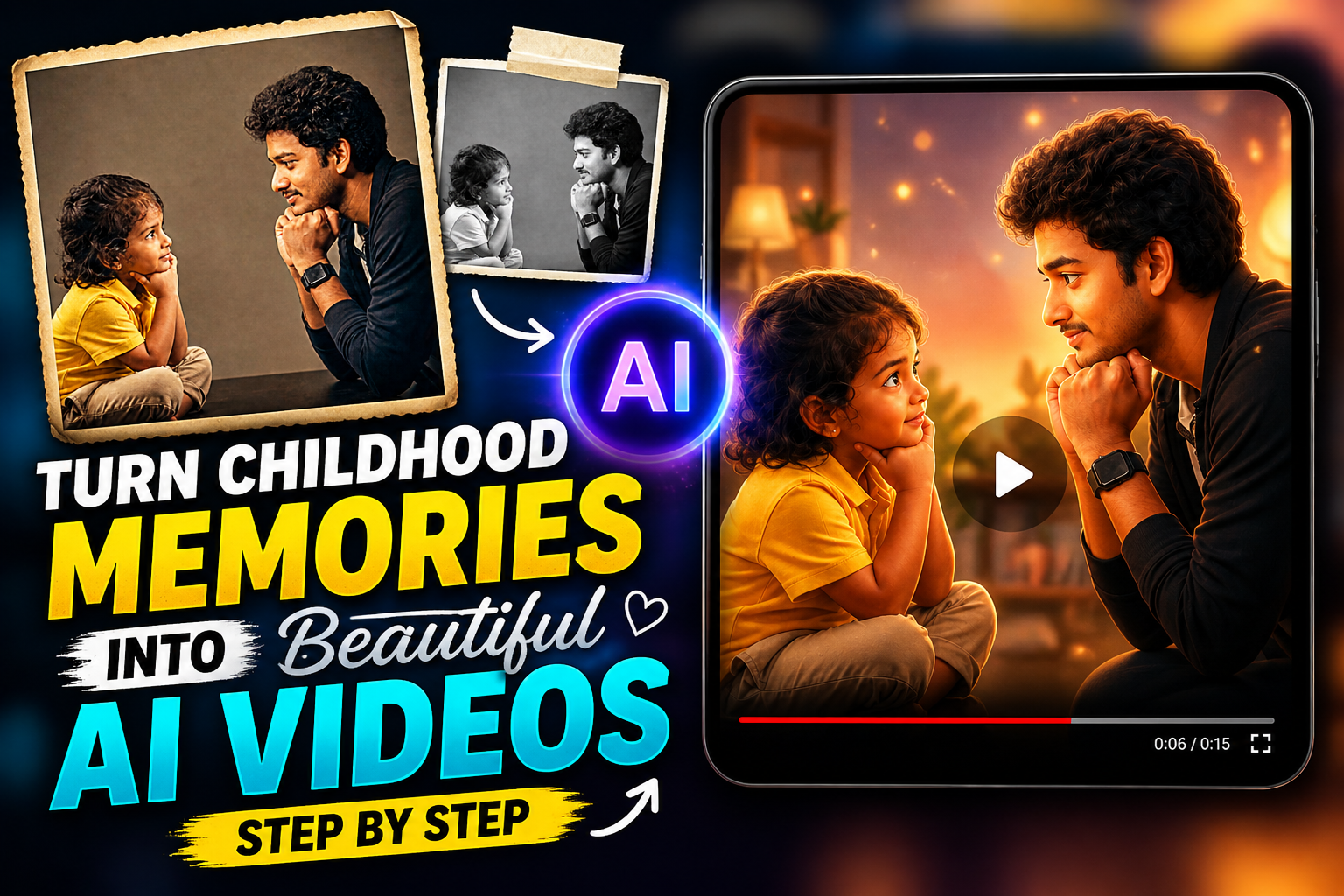
Childhood memories are some of the most emotional and meaningful moments in life. A small old photo, a school picture, a birthday memory, or a family moment can bring back powerful feelings within seconds. In 2026, AI video tools have made it easier than ever to turn these memories into beautiful, cinematic, and emotional videos. You no longer need advanced editing skills, expensive software, or professional equipment. With the right idea, clear photo, and simple creative steps, anyone can transform childhood memories into a touching AI video.
AI videos are becoming popular because they bring still photos to life. A normal childhood photo can be converted into a moving scene with soft camera motion, emotional lighting, natural expressions, and background music. This makes the memory feel alive again. Many people are using this technique for Instagram Reels, YouTube Shorts, birthday videos, family edits, anniversary posts, and personal memory collections.
The best part is that these videos do not need to be complicated. A simple concept with emotional storytelling can create a strong impact. When the video feels personal, natural, and meaningful, people connect with it instantly.

Why Childhood Memory AI Videos Are Trending
Emotional Content Connects Faster
People love content that feels real and emotional. Childhood memories naturally create nostalgia, and nostalgia is one of the strongest emotions in visual content. When someone sees an old photo moving gently with warm light and soft music, it creates an instant emotional connection.
Men IMAGE PROMPT
This is why childhood memory videos are performing well on social media. They are not just edits; they tell a story. They show growth, time, family, innocence, and personal journey.
Girl IMAGE PROMPT

Video Generating App
AI Makes Old Photos More Powerful
Men Video Generating Prompt
Earlier, old photos were only used as still images in slideshows. Now, AI tools can add movement, expressions, background depth, and cinematic camera effects. This makes the photo look more alive and visually attractive.
Girl Video Generating Prompt
AI can enhance image quality, improve colors, remove blur, repair old details, and create smooth video motion. Because of this, even a simple childhood photo can look like a professional memory video.
Step 1: Choose the Right Childhood Photo
The first step is selecting a good photo. The photo does not need to be perfect, but it should be clear enough for AI to understand the face, body, and background. A photo with visible facial details gives better results.
Try to choose a memory that has emotional value. It could be a birthday photo, school uniform picture, family moment, festival celebration, or an old casual photo. The stronger the memory, the better the final video will feel.
Avoid using very blurry photos if possible. If the photo is old or damaged, first enhance it using a photo restoration tool. Clean details help AI create smoother and more realistic motion.
Step 2: Improve the Photo Before Creating the Video
Before converting the photo into a video, it is better to enhance the image. Adjust brightness, sharpness, and colors slightly. If the photo has noise or low resolution, use an AI enhancer to improve clarity.
The goal is not to make the photo look artificial. Keep the original feeling of the memory. A natural-looking childhood photo feels more emotional than an over-edited one.
If the background is distracting, you can slightly blur it or clean it. But avoid changing too much because the original environment may be part of the memory.
Step 3: Decide the Story of the Video
A beautiful AI video needs a story. Without a story, it may look like a random moving image. Think about what feeling you want to show.
You can create a video about growing up, missing childhood, remembering parents, school days, old friends, birthdays, or the journey from past to present. The story should be simple and emotional.
For example, the video can start with a childhood photo, slowly zoom in, add warm light, show soft movement, and end with a present-day emotional message. This type of storytelling makes the video more meaningful.
Step 4: Add Cinematic Motion
Motion is what turns a still photo into a video. AI tools can create movements like slow zoom, camera pan, gentle head movement, blinking, smiling, or background motion.
For childhood memory videos, soft and slow motion works best. Avoid fast movements because they can make the video look unnatural. A slow camera push-in, gentle light movement, and subtle facial animation create a premium emotional look.
The video should feel like a memory coming alive, not like a dramatic action scene. Smooth movement is the key.
Step 5: Use Warm and Soft Lighting
Lighting controls the mood of the video. For childhood memories, warm lighting works beautifully because it creates nostalgia and softness.
Golden sunlight, soft indoor light, evening glow, or vintage warm tones can make the video feel emotional. Avoid harsh neon colors or overly dark lighting unless the concept requires it.
Soft shadows and natural skin tones are important. The video should look realistic and peaceful.
Step 6: Choose a Clean Background Style
If you want to keep the original background, make sure it looks clean and natural. If the background is messy, you can replace it with a soft cinematic background.
Popular background styles include old home interiors, school classroom mood, birthday room setup, garden evening light, vintage family album style, or dreamy soft blur background.
The background should support the memory, not overpower it. The main focus should always remain on the person and emotion.
Step 7: Add Text Carefully
Text can make the video more meaningful, but it should be used carefully. Too much text can reduce the emotional feel.
Short lines work best, such as “Childhood Memories,” “Those Days,” “Missing My Younger Self,” “From Then to Now,” or “A Memory That Never Fades.”
Use simple fonts and place the text where it does not cover the face. Keep the color clean and readable. Emotional videos look better with minimal text.
Step 8: Add Background Music
Music is one of the most important parts of a childhood memory video. A soft piano tune, emotional instrumental music, or nostalgic background sound can make the video more powerful.
Choose music that matches the mood. Avoid loud beats if the video is emotional. Soft music helps viewers feel the memory deeply.
Make sure the music is safe to use if you are posting on social media. Use platform-approved music or royalty-free tracks to avoid copyright issues.
Step 9: Keep the Video Short and Engaging
For social media, short videos usually perform better. A childhood memory AI video can be between 8 to 20 seconds. This is enough to show emotion without making the viewer lose interest.
If the video is for YouTube or a family memory collection, you can make it longer. But for Instagram Reels and Shorts, keep it short, smooth, and emotionally strong.
The first two seconds should catch attention. Start with the face, an emotional line, or a soft cinematic movement.
Step 10: Export in High Quality
After creating the video, export it in high quality. Use vertical format for Reels and Shorts, usually 9:16. For YouTube thumbnails or landscape videos, use 16:9.
Make sure the video is not blurry after export. Check the final output before posting. If the face looks distorted or unnatural, regenerate the video with softer motion settings.
High-quality export gives a professional look and improves audience engagement.
Tips to Make Childhood Memory AI Videos More Beautiful
Keep It Realistic
Realistic videos create stronger emotional impact. Avoid too many fantasy effects, heavy filters, or unnatural face movements. The video should feel like a real memory, not a fake animation.
Use Original Emotion
If the childhood photo has a smile, innocence, or natural expression, keep it. Do not force unnecessary expressions. Original emotion is what makes the video special.
Add Then and Now Concept
A popular idea is showing childhood and present-day versions together. This creates a powerful transformation effect. It can show how time has passed while keeping the emotional connection alive.
Use Family Moments
Family-based childhood videos are very touching. Photos with parents, grandparents, siblings, or friends can create beautiful memories. These videos are perfect for emotional posts and personal celebrations.
Common Mistakes to Avoid
One common mistake is using a very low-quality photo without enhancement. This can make the video blurry or distorted. Always improve photo clarity first.
Another mistake is adding too much motion. Strong movement can make faces look unnatural. Keep the animation slow and gentle.
Using loud music is also a mistake. Childhood memories need soft and emotional background music.
Over-editing the colors can reduce the natural feeling. Keep the video warm, clean, and realistic.
Best Uses for Childhood Memory AI Videos
Childhood memory AI videos can be used for many purposes. They are perfect for birthday wishes, emotional Instagram Reels, family tribute videos, school memory edits, anniversary posts, and personal profile content.
Creators can also use this idea for storytelling content. A simple “then and now” video can attract attention because people relate to growth and memories.
These videos are also useful for family events. You can create a beautiful memory video for parents, siblings, or friends and share it during special occasions.
Future of AI Memory Videos
AI memory videos will become even more advanced in the future. Tools will improve facial realism, motion quality, background generation, and emotional storytelling.
In the coming years, users may be able to create full memory films from old photo albums. AI may automatically arrange photos, add music, improve quality, and create a complete emotional video.
Even with advanced tools, the most important part will always be the feeling behind the memory. Technology can create movement, but emotion comes from the story.
Conclusion
Turning childhood memories into beautiful AI videos is one of the most creative and emotional trends of 2026. With just one old photo, you can create a cinematic video that feels personal, nostalgic, and meaningful.
The process is simple when you follow the right steps. Choose a clear photo, enhance it naturally, decide the story, add soft motion, use warm lighting, select emotional music, and export in high quality. The final result can be used for social media, family memories, birthdays, or personal storytelling.
The best childhood memory videos are not the ones with too many effects. They are the ones that feel real, emotional, and connected to the heart. With a simple idea and careful editing, your old memories can come alive beautifully.
FAQs
What is a childhood memory AI video?
A childhood memory AI video is a video created by turning an old childhood photo into a moving, emotional, and cinematic visual using AI tools.
Can I create AI videos from old photos?
Yes, old photos can be converted into AI videos, especially if the face and main subject are clear.
Do I need editing skills to create these videos?
No, most AI tools are beginner-friendly and can create videos with simple instructions.
What type of photo works best?
Clear childhood photos with visible facial details and good framing work best.
How long should a childhood memory video be?
For social media, 8 to 20 seconds is usually best. For personal memory videos, it can be longer.
Which music is best for childhood memory videos?
Soft piano, emotional instrumental music, or nostalgic background tracks work well.
Can I use these videos on Instagram Reels?
Yes, childhood memory videos are suitable for Instagram Reels, YouTube Shorts, and other social platforms.
How can I make the video look realistic?
Use soft motion, natural lighting, realistic colors, and avoid over-editing the face or background.