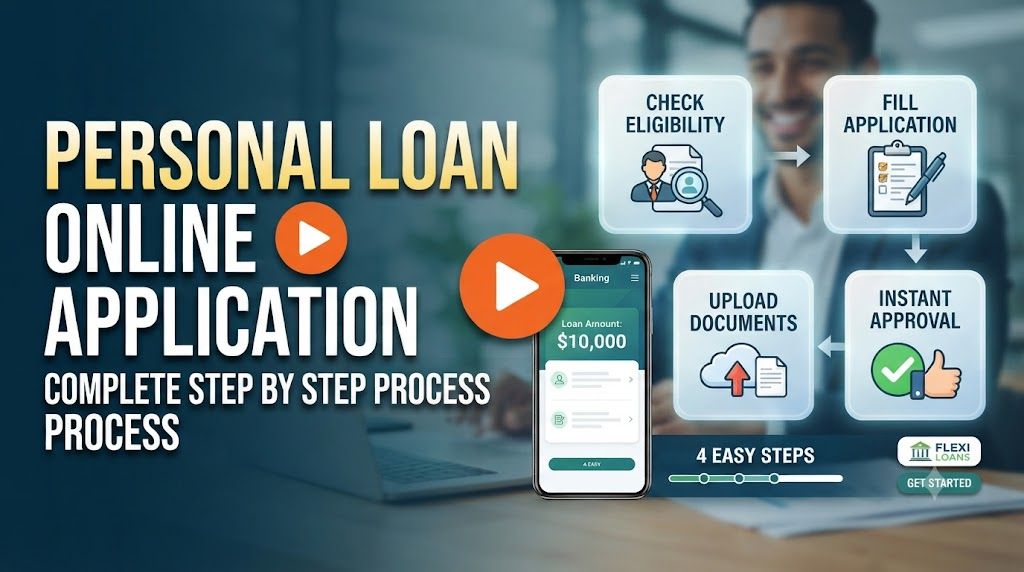
Most people only think about personal loans when they urgently need money medical bills, travel, debt consolidation, or a big purchase. That’s exactly when mistakes in the online application cost the most: rejections, lower limits, or higher interest rates.
This guide walks through the typical online personal loan application process, the checks lenders actually run in the background, and the small details that make a big difference to your approval chances.
Before You Start: Key Things to Check
Rushing into any random instant loan app is risky. Before you even open an application form, do a quick safety and eligibility check.
1. Choose a legitimate lender
Stick to:
- Well known banks
- Registered NBFCs or credit unions
- Reputed fintech partners that clearly show their lending partner on the website or app
Avoid apps and websites that:
- Do not show a physical address or customer support details
- Ask for a processing fee before approval or disbursal
- Use aggressive, confusing guaranteed approval marketing language
2. Check basic eligibility
Common checks (exact numbers will vary by lender):
- Age range (often 21 60 or 23 65)
- Minimum monthly income/salary
- Employment type (salaried, self employed, freelancer)
- Location (some lenders don’t operate in all regions)
- Credit score range (for example, many lenders like to see 700+ but criteria differ)
If a lender provides an eligibility calculator, use it. It won’t guarantee approval but can give you a realistic loan amount and EMI estimate.
3. Prepare your documents
Most online personal loan processes need clear, readable scans or photos of:
- ID proof: Government issued ID (passport, national ID card, driver’s licence, etc.)
- Address proof: Utility bill, bank statement, rental agreement, or ID with address
- Income proof: Salary slips, bank statements, tax returns, or audited financials (for self employed)
- Photo: Recent passport size photo or a live selfie within the app
Keep these in a clear, standard format (JPEG, PNG, or PDF) and avoid cropping out corners or key details.
Step 1: Visit the Lender’s Official Website or App
Open the official website in your browser or install the official mobile app from a trusted app store. Avoid using links from random SMS/WhatsApp messages or ads with spelling mistakes in the brand name.
Look for a menu item such as:
- Personal Loan
- Instant Loan (from genuine banks)
- Apply Online > Personal Loan
Most lenders will show you a short overview of:
- Minimum and maximum loan amount
- Indicative interest rate range
- Tenure options (e.g., 6 60 months)
- Processing fees and other charges
Read this carefully. Many people skip it and are surprised later by processing fees or pre closure charges.
Step 2: Start the Online Application Form
Once you tap Apply or Get Started, the lender usually collects basic details first. A typical flow looks like this:
Basic profile information
- Full name (as per ID)
- Date of birth
- Mobile number (often used for OTP login)
- Email address
- Current residential address and duration of stay
Use the same name format that appears on your ID and bank account. Even small mismatches (middle name missing, different spelling) can delay verification.
Employment and income details
- Employment type: salaried, self employed, business, freelancer
- Employer name or business name
- Monthly income or average monthly profit
- Work experience or time in current job
A few tips:
- Do not inflate your income. Lenders often cross check through bank statements and credit bureau data.
- If you have variable income (freelance, commission based), enter a realistic average rather than peak months.
Loan requirement
- Loan amount you want
- Preferred tenure (months)
- Purpose (e.g., medical, education, wedding, home renovation, debt consolidation)
Be honest about the purpose. It usually won’t affect approval much, but lenders may categorise the risk profile differently.
Step 3: Complete Digital KYC (e‑KYC)
Most online personal loans are paperless and use electronic Know Your Customer (e‑KYC) verification.
Depending on your country and lender, this can involve:
- Entering your ID number and validating via OTP
- Uploading front and back photos of your ID
- Recording a live selfie video or taking a live selfie within the app
- Short video KYC over a secure call with an agent (some banks still use this)
Do this in a well lit place and ensure your camera is clean so your face and ID are clear. If the system can’t read your details, the application may be pushed to manual review, slowing things down.
Step 4: Upload Supporting Documents
Next, you’ll be asked to upload documents for income and address verification. Typical uploads:
- Last 3 6 months’ salary slips or income statements
- Last 3 6 months’ bank statements (PDF downloaded from official banking site/app)
- Recent utility bill or bank statement for address
- Tax return documents if self employed
Make sure:
- All four corners of the document are visible
- The text is readable when zoomed in
- You are not editing or tampering with entries lenders often use automated fraud checks
Some lenders allow secure account aggregation where, with your consent, they fetch bank statement data automatically from your bank instead of manual uploads. Read the permissions carefully before approving.
Step 5: Credit Check and Instant Offers
Once you submit the form and documents, the lender typically performs:
- A credit bureau check (to see your score, existing loans, and repayment history)
- Internal risk scoring based on your profile, income, and obligations
If everything looks good and your profile matches their criteria, you may see an instant or pre approved offer such as:
- Approved loan amount
- Interest rate
- Tenure options and EMI
Don’t rush here. Use the EMI calculator (if available) to realistically test:
- Can you comfortably manage the EMI alongside rent, existing EMIs, and day to day expenses?
- Is a slightly lower loan amount enough to reduce EMI pressure?
- Does a longer tenure reduce EMI but increase total interest too much?
Step 6: Review Terms and Sign the Agreement Digitally
Before you accept the offer, open the loan agreement or Most Important Terms & Conditions document. Pay attention to:
- Interest rate (flat vs reducing balance)
- Processing fee and taxes
- Late payment charges and penalties
- Prepayment and foreclosure rules (fees, lock in period)
- Any insurance bundled with the loan (optional or mandatory)
If you’re comfortable, you usually sign via:
- OTP based e sign (code sent to your registered mobile/email)
- Approved digital signature method used by your country
Save or download a copy of the signed agreement for future reference.
Step 7: Disbursal and Post Approval Checks
After signing, the lender initiates disbursal to your bank account. Timelines vary:
- Instant / few minutes: For fully digital, pre approved customers
- Few hours to 1 2 business days: If any document or detail needs manual review
You might receive:
- SMS/email confirmation of approval and disbursal
- Loan account number and EMI schedule
- Autodebit or standing instructions setup link (for EMI payments)
Once the money hits your account, verify the credited amount and check if any processing fee was deducted upfront (this should match what you saw in the agreement).
Common Mistakes That Lead to Delays or Rejection
- Inconsistent information: Different income numbers across the form, salary slip, and bank statement.
- Old or blurred documents: Photos taken in low light, cut off edges, or outdated bills.
- Ignoring credit history: Applying repeatedly in a short period or ignoring existing overdue loans/credit cards.
- Requesting unrealistic amounts: Asking far above what your income and obligations can support.
- Using unofficial links: Sharing data with fake apps or phishing websites.
Safety Tips for Online Personal Loan Applications
- Apply only on secure websites (look for https and correct domain spelling).
- Do not share OTPs or full card details with anyone claiming to help with faster approval.
- Avoid sending documents through public Wi‑Fi without a VPN.
- Check app permissions; a loan app doesn’t need access to your entire contact list or gallery unless clearly justified, and even then, be cautious.
- If something feels off (aggressive calls, threats, or unusual data requests), contact the official customer care number listed on the bank’s website and report it.








