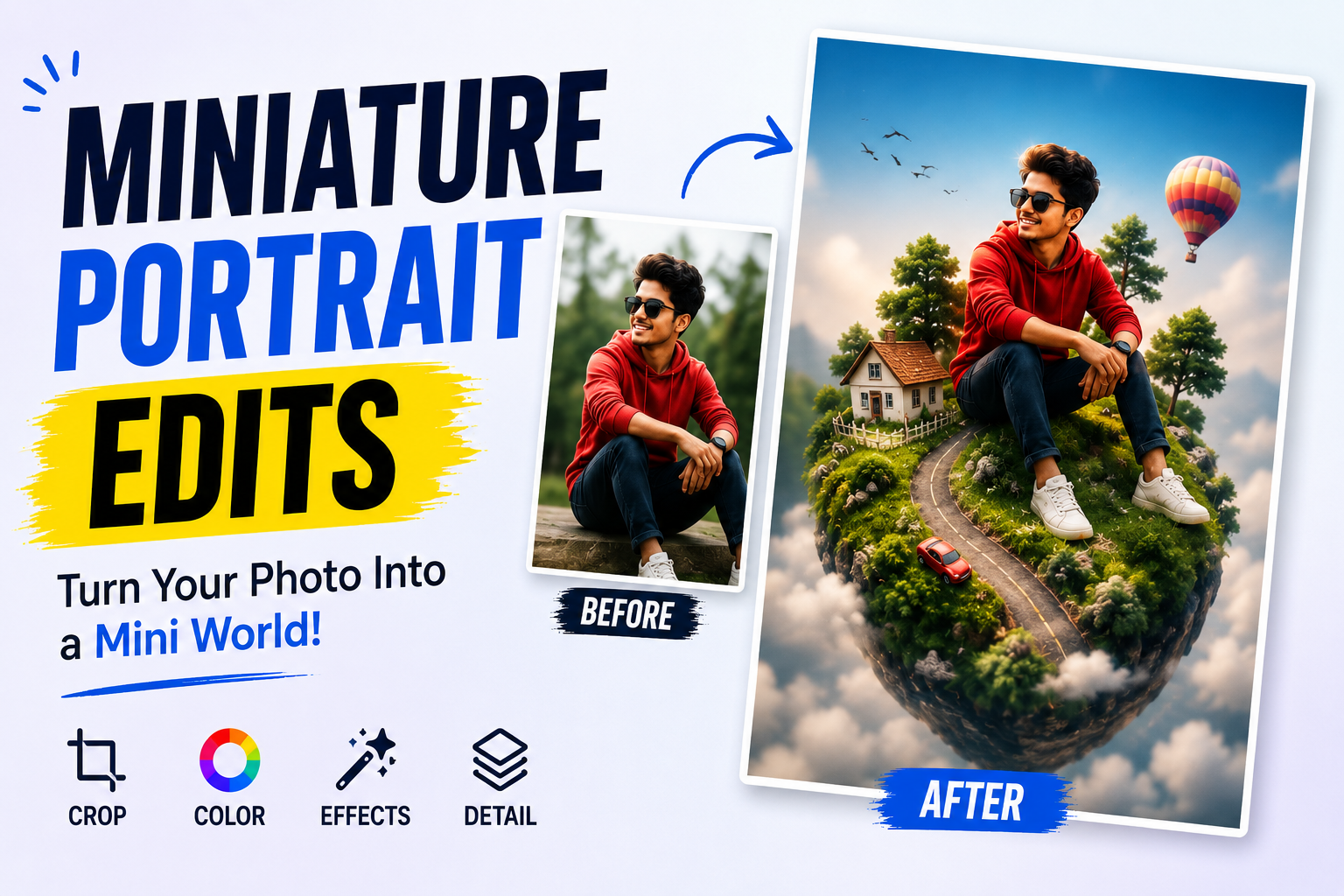
Hello friends, today we are going to look at why miniature portrait edits are suddenly everywhere and how you can create them without wrecking your photos. If you scroll any social app right now, you have probably seen tiny versions of people standing on coffee cups, keyboards, book stacks or even pets, and you might be wondering how this effect is done.
This article will walk you through what miniature portrait edits actually are, which tools people use in 2026, and a simple workflow you can copy. We will also point out common mistakes that make edits look fake, plus a few safety and privacy notes before you upload anything. The goal is to help your edits look playful and still feel believable.
The guide is written for casual phone photographers, creators on platforms like Instagram, TikTok, YouTube Shorts and also for small business owners who want a fresh visual style. You do not need pro camera gear. A typical Android phone or iPhone and one or two popular editing apps are usually enough, as long as you understand the basics.
We will connect each step to real world use, for example how a café might use a tiny barista edit for a poster, or how a student can turn a simple desk selfie into a fun miniature portrait. Where apps differ by device or region, you will see careful wording, so you can adjust the process to the tools you already use.
Related Resource
The Download Link button above opens the Telegram resource connected to How Miniature Portrait Edits Are Becoming a Viral Photo Trend in 2026. Use it to join the channel or open the shared details without searching manually.
What Are Miniature Portrait Edits
Miniature portrait edits turn a normal person or character into a tiny subject placed inside a bigger scene. The person might look ten centimeters tall, standing on a laptop, sitting on a book spine or walking along a window frame. Instead of using real miniatures, creators combine cut out portraits, resized layers and shadows to fake the scale.
There are two main styles. The first uses a real photo of the person, carefully cut from the background. The second uses an AI generated figure that resembles the person. Both styles rely on believable shadows, matching light direction and a smart choice of background, or the result feels like a cheap sticker.
Why This Edit Style Went Viral In 2026
Several trends came together to push miniature portrait edits into the spotlight this year. Short video platforms now highlight visual tricks that stop scrolling in the first second, and a tiny human in a normal scene does exactly that. Even simple before and after clips perform well, so creators can turn one idea into multiple posts.
At the same time, popular mobile apps added smarter cutout tools and AI background handling. On many devices in 2026, you can tap to auto select a person, then move that cutout into another photo without opening a desktop editor. This lowers the skill barrier and invites people to experiment daily, not just on special projects.
Brands and influencers also picked up the trend because it feels playful but not overly filtered. A small business can place a miniature staff member inside a product photo to tell a quick story. For example, a bakery can show a tiny baker climbing a croissant mountain. That looks creative while still promoting an actual product.
Popular Tools For Miniature Portrait Edits
You do not need one specific app, but some tools make the process much smoother. Here are three common categories that creators mix and match.
- Mobile photo editors with magic cutout, for example apps that let you tap to isolate a person and remove the background.
- Layer based editors, often on tablets or desktops, which allow precise resizing, shadow painting and masking.
- AI helper tools, which generate shadows, reflections or even complete tiny characters in one tap, although results still need manual cleanup.
Whatever you choose, avoid unofficial downloads from random websites. Stick to the official app stores or trusted developer sites. Many leaked or modded editor apps include aggressive ads or worse, so the tiny portrait effect is not worth the security risk.
Step By Step Workflow To Create A Miniature Portrait Edit
Use this simple workflow as a base. Exact names of tools and menus will vary by app and platform, but the logic is the same.
Step 1: Capture Your Background Scene
First, shoot the scene where your tiny person will appear. Choose a surface with clear edges, such as a notebook, a coffee mug, a keyboard or a window ledge. Make sure the light direction is obvious, for example window light from the left. This will guide your shadow later.
Keep the frame clean. If the scene is full of clutter, the small subject will get lost. Many successful examples keep one hero object and background blur from portrait mode or a larger aperture lens.
Step 2: Shoot Or Select The Portrait
Next, capture the person. Ask them to stand or sit in a way that fits the scene you planned. If they will stand on a mug handle, have them slightly lean forward. If they will sit on a book edge, take a seated pose from the side.
Use a plain wall if possible, which helps the cutout tool. Try to match the light direction from your background photo, or at least keep shadows soft so they do not clash later.
Step 3: Cut Out The Person
Open the portrait in your editor and use the subject cutout feature. On many 2026 phones, this appears as a person icon or a remove background option. If the auto result leaves rough edges, zoom in and use an eraser or brush tool to clean hair, fingers and clothing gaps.
Export or copy the cutout as a transparent layer. In some apps you can send it directly into another project or save it as a sticker to reuse across multiple backgrounds.
Step 4: Place And Resize The Miniature
Now open your background scene, then paste or import the cutout. Drag it to the intended location and resize until it feels like a believable tiny figure. A common mistake is shrinking the person too much. Keep them big enough that facial features remain readable on a phone screen.
Look at the perspective lines of the surface. Your miniature should align with those lines. If the person looks like they are floating, try slightly rotating the layer until feet or seat edges feel grounded.
Step 5: Add Shadows And Color Matching
This step separates amateur edits from viral ones. Create a new layer under the person and paint a soft dark shape where their shadow would fall. Reduce opacity, blur it, and match the shadow length to other objects in the scene.
Then apply gentle color grading to the person. Many apps have a match color or adjust tool. Nudge temperature, contrast and saturation until skin and clothing blend with the background mood. If the scene is warm and golden, a cold blue portrait will instantly reveal the edit.
Real World Examples And A Mini Case Study
Example one, a student creates a tiny version of themselves standing next to a laptop that displays their thesis title. They share it on LinkedIn and Instagram Stories with a caption about finishing their degree. The miniature effect turns a standard announcement into a visual story, but still looks professional enough for their network.
Example two, a café runs a weekend promo by posting a tiny barista surfing on whipped cream inside a cup. The edit uses careful shadow and perspective, so at first glance it feels almost like a toy photo. The playful post gets reshared by regulars, and the café tracks an uptick in weekend visits tied to the campaign.
Here is a simple case study style scenario. A small stationery shop wants to boost online engagement without paying for a full studio shoot. They pick five best selling notebooks, photograph them on a clean wooden table, then shoot portraits of their staff pretending to climb, sit or peek over edges. Using a mobile editor, they build a series of miniature staff edits and schedule one post per week. Over two months, their average story replies double and customers start requesting printed postcards of the designs.
The key detail is that the shop does not chase AI complexity. They focus on clean backgrounds, consistent lighting and simple shadows. This kind of disciplined workflow is more reliable than hoping an AI one tap filter will get everything right.
Common Mistakes To Avoid
Several problems show up repeatedly in weaker miniature portrait edits.
- No shadow or the wrong direction compared to other objects.
- Over sharpened cutout edges that look like stickers instead of people.
- Miniatures placed in unsafe or insensitive positions, such as dangerous machinery, which can send the wrong message.
- Ignoring privacy, for example using someone else face without consent just because you can cut it out easily.
Before posting, zoom out to phone screen size and ask a friend if anything feels off. Often they will notice a tilt, floating feet or a shadow error that you missed after staring at layers for too long.
Conclusion
Miniature portrait edits became a viral trend in 2026 because they sit in a sweet spot. They feel creative and almost cinematic, but they are still possible on a normal phone with a bit of patience. You do not need every new AI feature to join in, you just need a solid background photo, a careful cutout and time to refine shadows and color.
If you are trying this for the first time, start with a simple desk scene and one portrait. Follow the workflow, keep the edit subtle and share it as a story before posting to your main feed. Once you are comfortable, you can test more complex layouts or even short behind the scenes videos that show your layering process.
FAQ
Are miniature portrait edits safe to create
They are generally safe if you use your own photos and trusted apps. Avoid installing random editing tools from unofficial sites and always get permission before editing someone else portrait.
Can I do miniature edits only on a phone
Yes, many people create them fully on Android or iOS using modern photo editors. A larger screen on a tablet or laptop simply makes fine edge work and shadow painting easier.
Do I need AI tools for this trend
No, AI can speed up cutouts or generate ideas, but basic miniature portraits work perfectly with manual tools. Rely on AI as a helper, not the entire effect.
Why do my edits still look fake
Most likely your shadow, perspective or color tone does not match the background. Compare your person to objects in the scene and adjust angle, blur and color until they feel part of the same photo.
Can brands use this style in ads
Yes, many small brands now use miniature portraits in social ads and product photos. Just keep the subject clear, avoid misleading visuals and make sure the tiny person supports the message instead of distracting from it.
Thank you for reading. If you found this helpful, keep an eye on our blog for more practical tech tips, creative photo ideas, new apps and the latest updates around AI tools and social trends.








