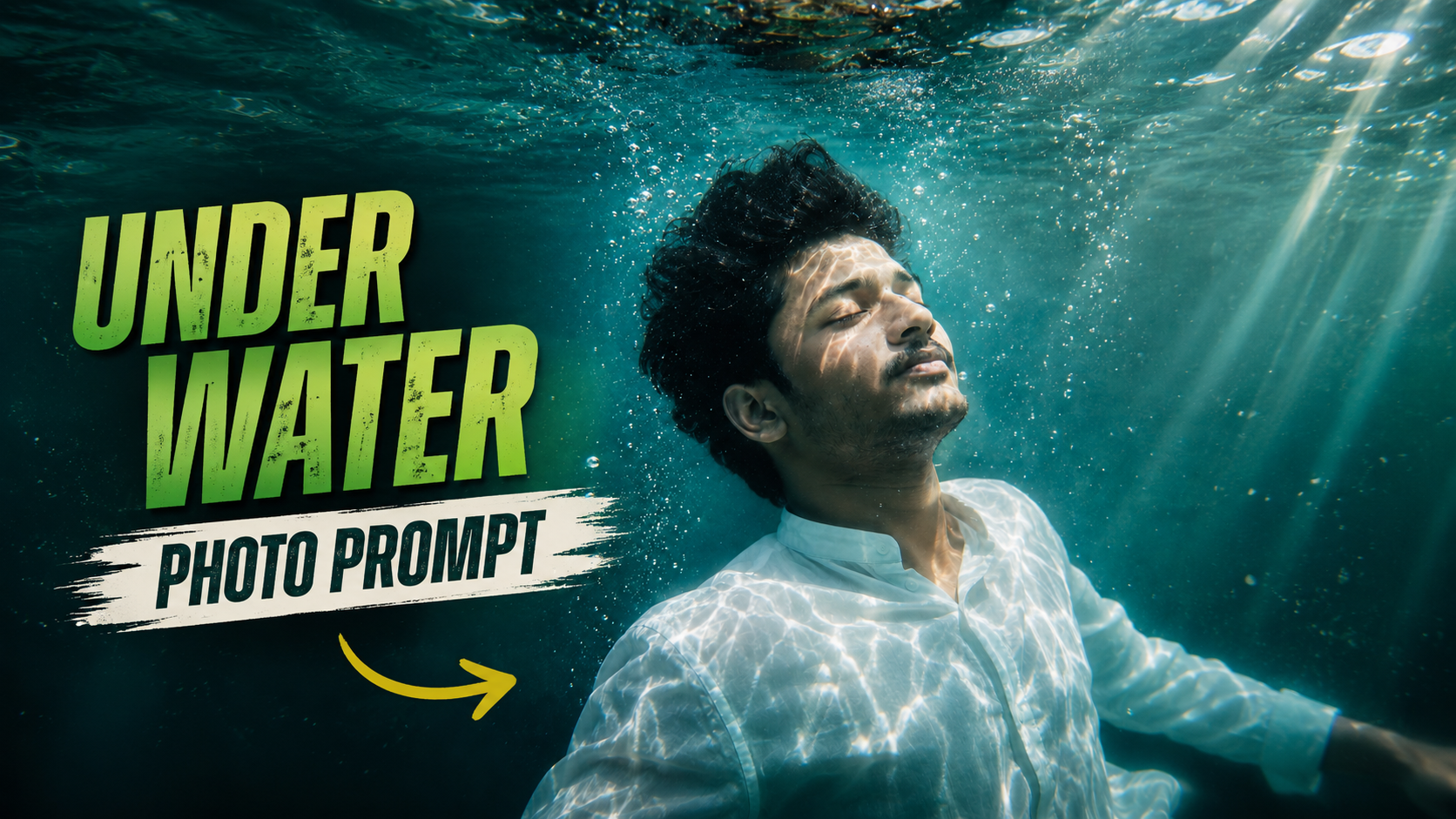
Hello friends, today we are going to look at a fun but slightly confusing topic, the underwater photo making ChatGPT trend in 2026. Many creators see surreal ocean style photos on social apps and want the same look, but the workflow is not obvious. People try random prompts, get strange results, and are not sure which tools or settings actually matter.
This guide will walk you through a clear process. You will learn how to plan a simple underwater concept, use ChatGPT to write smart prompts, pick the right AI image tools, and combine everything with basic editing. The goal is not just viral content, it is consistent, safe images that still look like you or your brand.
The article is aimed at beginners and intermediate creators, from casual Instagram users to YouTube thumbnail designers. You do not need a real underwater camera or expensive gear. If you can take a selfie, run a browser, or install a mainstream photo app, you can follow the steps here and join the 2026 trend in a controlled way.
Later in the guide, you will also see how this trend connects with popular AI image generators, mobile editing apps, and even older photos from your gallery. When you see a call to test a tool or workflow, treat it as a starting point and always check the latest pricing, usage limits, and policy changes from each platform before you rely on it for regular content.
Related Resource
The PROMPT LINK button above opens the related resource for Underwater Photo Making Chat GPT Trend 2026. It is included so readers can reach the mentioned page directly.
What Is The Underwater Photo Making ChatGPT Trend In 2026
The trend is simple in idea. Creators use ChatGPT to write detailed prompts that describe underwater scenes, then feed those prompts and sometimes their own photos into AI image tools. The results are fantasy style ocean portraits, scuba travel shots, mermaid looks, or product images floating in water, all created without going near the sea.
Underwater here is usually a style, not a realistic dive record. You see soft blue light, floating hair, bubbles, rays of light from the surface, and sometimes coral or fish. The stronger prompts mix these visual cues with a clear description of the subject, such as a close up face or a full body pose.
How ChatGPT Fits Into The Underwater Workflow
ChatGPT does not render images. Instead, it helps you describe what you want in a way that AI image models and photo apps understand. Many people type very short prompts such as underwater selfie which usually leads to noisy or distorted results. Adding structure can fix this quickly.
For example, you can ask ChatGPT for three prompt variations for an underwater portrait of a man with glasses for a LinkedIn style profile photo. ChatGPT can expand that into scene description, color mood, lighting, and camera style. You can then copy and paste that text into tools that support text based generation or editing.
Comparison Of Common Underwater AI Workflows In 2026
Different tools handle underwater style in different ways. Here is a simple comparison you can adapt before picking one. Features and pricing may change, so always confirm on the official sites.
| Workflow Type | Typical Tools | Best For | Key Advantage | Main Drawback |
|---|---|---|---|---|
| Text to image | Midjourney, DALL E, Stable Diffusion web apps | Pure fantasy underwater art | Very creative and fast for concept ideas | Results may not match your real face or body |
| Photo to underwater style | Canva, Adobe Photoshop AI, mobile AI filters | Realistic selfies and portraits | Keeps identity closer to original photo | Can look like a filter if prompt is too weak |
| Hybrid editing | Photopea, GIMP, Procreate plus AI tools | Thumbnails and brand visuals | Fine control over text, logo, and layout | More time and some editing skill needed |
Step By Step: Create An Underwater Portrait Using ChatGPT
Use this starter workflow. Adjust it for your device and tools.
Step 1: Pick a clear base photo
Choose a sharp selfie or portrait with good light and plain background if possible. Avoid very dark shots, heavy shadows, or busy wallpapers. These make AI editing harder and often cause warped faces or melted hair.
Step 2: Ask ChatGPT for a structured prompt
In ChatGPT, write something like this without visible quotes around it. Create three detailed prompts to turn a bright indoor selfie into an underwater portrait. Include lighting, color, bubbles, and a gentle fantasy style but do not change gender or age. Review the output and tweak any details that feel off.
Step 3: Copy the best prompt into your AI image tool
Open your chosen editor that allows image to image generation or AI style transfer. Upload your selfie, paste the prompt, and select a moderate strength or influence slider if the app offers it. Very high influence can completely replace your face with a new one.
Step 4: Refine small details
After generating results, look closely at hands, jewelry, glasses, and hairlines. Underwater effects like floating hair often confuse models. If there are obvious glitches, remove that area with a brush and regenerate only the affected region if the tool supports regional edits.
Real World Examples Of The 2026 Underwater Trend
Example 1: Travel poster without a real dive
A small dive shop wants a poster showing a couple under the water looking at turtles, but does not have underwater cameras. They take normal photos in the shop with blue T shirts, use ChatGPT to describe the ideal tropical underwater scene, then apply the prompt in a design tool. The final image has soft rays of light, sand, and turtles in the distance, good enough for social promotion.
Example 2: Creator profile refresh
A gaming streamer wants an updated profile picture for 2026 that matches their ocean themed channel. They keep their original headshot, generate multiple underwater versions using ChatGPT prompts, then pick a simple one with light bubbles and blue color grading. It stays close to the real face, so followers still recognize them, but it looks consistent with overlays and channel art.
Case Study Style Walkthrough: Fixing A Failed Underwater Edit
Imagine someone tries the trend and ends up with a strange result. Hair looks like plastic, the nose is twisted, and the colors are dark green instead of bright blue. Here is how a careful fix might look in practice.
First, they check the base photo and notice it was a low light nightclub selfie. This is usually a poor starting point. They retake a neutral photo near a window with flat light. Next, they ask ChatGPT to rewrite the prompt with clearer instructions, such as bright clear water, soft blue, natural skin tones, and keep face structure close to original subject.
In the second attempt, they also reduce the AI strength slider from high to medium. This prevents the model from completely redrawing the head. The new results still show underwater rays and bubbles, but the face stays stable. Final tweaks are done in a normal editor, where they adjust contrast and remove one over bright bubble near the eye.
Common Mistakes And Safety Notes
There are some easy traps around this trend. The first is ignoring intellectual property and privacy. Avoid using random people from the internet as base photos. Focus on your own images or those you have permission to edit. Some platforms also restrict AI generated faces that mimic celebrities.
The second mistake is relying on untrusted mobile apps from unknown sites. For safety, download AI photo editors only from official app stores or direct publisher sites. Be careful with apps that demand full contact access or aggressive device permissions for a simple editing task. Review privacy policies when you upload face photos to cloud tools.
Another frequent issue is over processing. If every filter, lens flare, and color overlay is added, the picture often looks cheap. It can also hurt brand trust if you use such images on a professional website. A simple blue tone and a few bubbles usually feel more credible than glowing eyes and extreme fantasy creatures everywhere.
Long Term Use And Brand Considerations
The underwater trend in 2026 will not stay forever, but the skills behind it are reusable. Learning how to write structured prompts with ChatGPT will help you with product photos, posters, banners, and seasonal themes. The same pattern works. Clear subject, style, lighting, color, and usage context.
If you run a brand, set simple internal rules. For example, define how far AI edits can change a person, and where you must label an image as illustrative instead of documentary. This avoids confusion for clients who might assume a fantasy underwater image represents a real trip, location, or product capability.
Conclusion
The underwater photo making ChatGPT trend 2026 is really a set of small skills combined. You need a clean base image, a structured prompt, a reliable AI tool, and a calm eye for final edits. None of these parts are very complex alone, but rushing any of them usually leads to warped faces or noisy water textures.
If you start with simple portraits and keep identity changes mild, you get creative, shareable content that still respects followers and clients. As tools update, keep exploring new sliders and modes, but keep the same mindset. Clear idea first, then careful prompt, then light editing. That approach will outlast this trend and support whatever visual style comes next.
FAQ
Is the underwater AI style safe for profile photos
Yes in most cases, if the edit still looks like you and follows the rules of the platform. Avoid extreme face changes if you use the picture for verification or formal profiles.
Do I need a paid AI tool for good underwater images
Not always. Many free tiers and mobile apps can handle basic underwater effects. Paid plans usually give higher resolution, fewer limits, and more control for serious creators.
Can I use underwater AI images in client projects
You can, if the tool license allows commercial use and your client understands that it is AI assisted. Always read the current terms of each service and keep proof if possible.
Why does my underwater edit change my skin tone too much
Strong blue grading often pushes skin into unnatural colors. Ask ChatGPT to stress natural skin and lower the effect intensity. You can also correct skin separately in a normal editor.
What devices work best for this trend
Any recent phone or laptop with stable internet is usually enough. Heavy desktop apps like full Photoshop need stronger hardware, but web and mobile tools are lighter.
Thank you for reading. If you found this walkthrough useful, keep an eye on the blog for more updates on new AI trends, practical apps, creative tools, and the latest tech news that can improve your everyday content.








