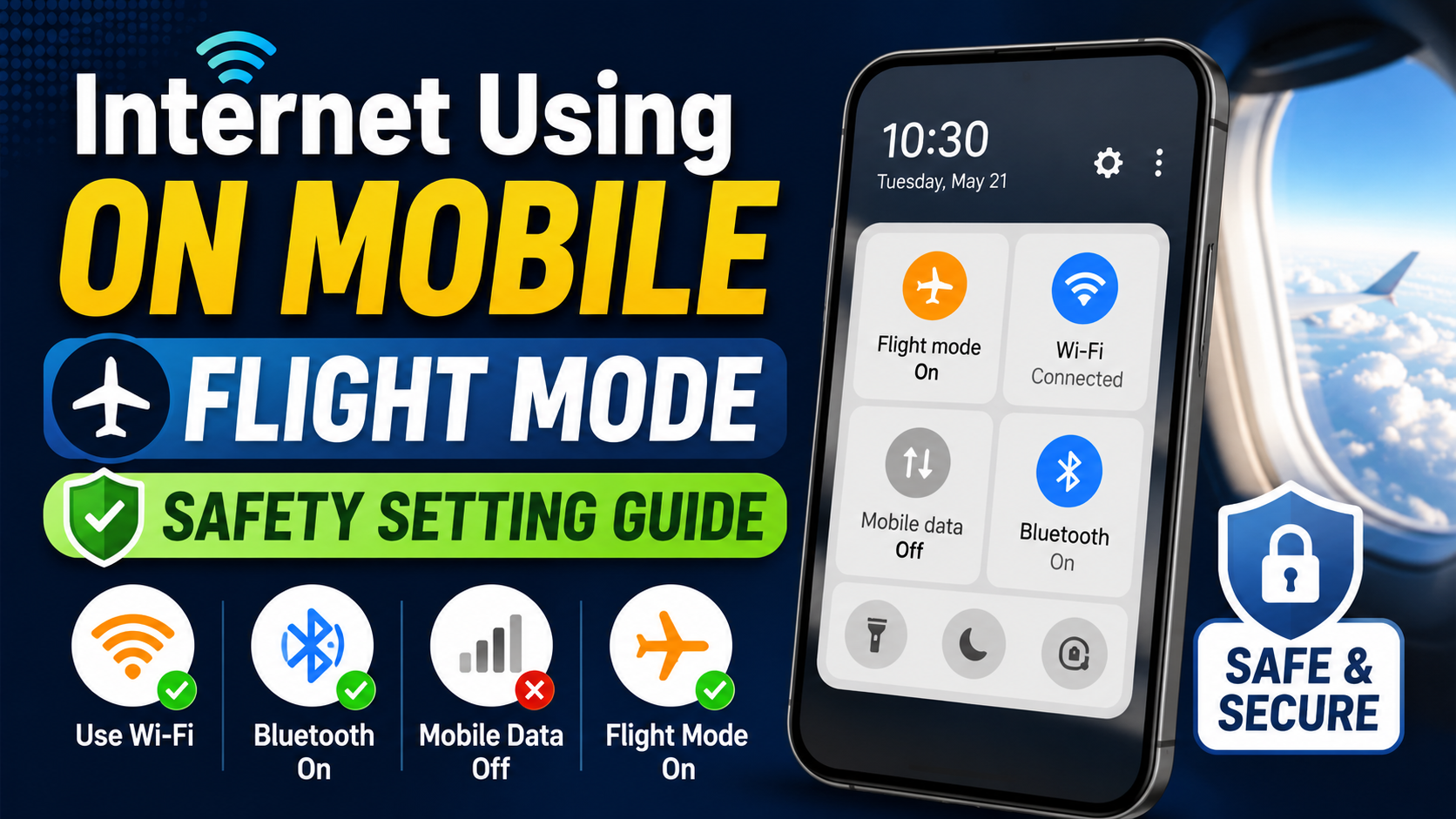
Hello friends, today we are going to look at a problem many people face. You switch on flight mode on your phone, then you still want to use internet safely. Some people worry if it is allowed, some are confused about WiFi calls, Bluetooth, and background apps. This post will clear that confusion with practical settings and safety tips.
This article will help you understand how internet using on mobile flight mode safety setting actually works on Android and iPhone. You will see which radios turn off, which ones you can turn back on, and how to stay within airline rules. You will also learn what to change in your phone so it does not leak mobile data by mistake.
The guide is written for regular users, not just tech professionals. If you travel by air, use public WiFi, or like to keep your phone in airplane mode for health or focus reasons, this will help. We will walk through simple step by step settings, give real examples, and point out mistakes that can create trouble with network or battery.
We will also connect this topic to practical privacy and security. Internet over WiFi in airplane mode still exposes you to unsafe networks, trackers, and data hungry apps. You will see how to combine airplane mode, WiFi, VPN, and app permissions to stay safer. Keep reading if you want your travel device setup to be calm, quiet, and under your control.
Related Resource
The Download Now button above opens the WhatsApp resource connected to Internet Using On Mobile Flight Mode Safety Setting. Tap it if you want to join the related group, channel, or update link.
What Flight Mode Really Does On Your Phone
Flight mode is mainly a radio kill switch. It turns off mobile network, voice calls, SMS, mobile data, and usually also turns off WiFi and Bluetooth at the same time. The goal is to stop your phone from transmitting signals that could interfere with aircraft systems, which is why airlines still ask you to enable it during take off and landing.
Modern phones allow some flexibility. On most Android builds and on iOS, after you enable airplane mode, you can switch WiFi and Bluetooth back on manually. The mobile network stays disabled until you turn flight mode off again. This is the key to using internet in a safe and allowed way while still respecting airline instructions.
Is Internet Use In Flight Mode Allowed On Planes
Most airlines today allow you to keep your phone in airplane mode during the flight and then use in flight WiFi if they provide it. You are usually not allowed to turn mobile data back on while in the air, even if the phone technically lets you. Cabin crew announcements override anything you read online, so always follow their instructions first.
Some airlines block voice calls over WiFi because it annoys other passengers. Messaging apps usually work, video streaming may be limited, and certain ports or services can be blocked. If the crew says WiFi is not available or must be turned off, treat that as final. Your safety settings should be flexible enough to respect these rules quickly.
How To Safely Use Internet With Flight Mode On
Step by step on Android
- Pull down the quick settings shade.
- Tap the airplane icon to turn on flight mode.
- Wait a few seconds for mobile network to disconnect.
- Tap the WiFi icon and connect to the aircraft WiFi or another trusted hotspot.
- Make sure the mobile data icon stays off. If it turns on, disable it manually.
Step by step on iPhone
- Open Control Center.
- Tap the airplane icon to enable airplane mode.
- Tap the WiFi icon and select the network you want to use.
- Check that the 4G or 5G icon is not visible in the status bar.
In both cases, flight mode keeps the cellular radio off even when WiFi is on. That is the safe balance most airlines expect.
Common Mistakes And How To Avoid Them
Mistake 1: Thinking flight mode blocks all internet
Many users assume airplane mode means no internet at all. Then they are surprised when the phone connects over WiFi in a hotel or coffee shop. Remember, airplane mode only disables radios by default. When you manually turn WiFi back on, you are back online and all apps that use data can work again.
Mistake 2: Accidentally turning mobile data back on
Some Android skins place a mobile data toggle next to WiFi. While trying to connect WiFi, users sometimes enable data and then turn airplane mode off without noticing. The result is unexpected roaming charges. A simple fix is to keep data saver active and to disable data roaming before you even reach the airport.
Mistake 3: Ignoring background sync
When you finally reach the aircraft WiFi, dozens of apps may rush to sync backups, photos, and updates. This can make the connection feel painfully slow. It can also consume expensive in flight data. Before you join the network, pause large cloud backups and disable auto updates from your app store.
Comparison: Normal Mode Vs Flight Mode With WiFi
| Setting | Normal Mode | Flight Mode With WiFi On |
|---|---|---|
| Mobile calls and SMS | Active when network is available | Disabled, cannot send or receive |
| Mobile data | Can use 3G, 4G or 5G | Disabled, no cellular internet |
| WiFi internet | Optional, can be on or off | Active, main way to use internet |
| Battery usage | Higher because all radios are possible | Usually lower, only WiFi and maybe Bluetooth |
| Roaming risk | High if data roaming is on | Very low, cellular is disabled |
| Best for flights | Usually not allowed | Matches most airline policies |
Real World Examples Of Safe Use
Example 1: Overnight hotel stay before an early flight
Many travelers keep airplane mode on from the moment they leave home until they land. At the hotel, they reconnect only to WiFi for messages and email. This prevents surprise roaming from weak foreign networks. They still enjoy internet, but the mobile radio stays off the whole time, just like in flight.
Example 2: Focus mode in daily life
Some students and remote workers use airplane mode during deep work. They then turn on WiFi only for specific tasks like research and sync. This reduces distractions from calls and SMS but keeps online tools working. It is a side use of flight mode that can also protect privacy by cutting constant cell tower connection.
Case Study: A Frequent Flyer Data And Safety Setup
Consider a consultant who flies twice a week between regions. They had issues in the past with big roaming bills and also with half downloaded files during flights. Today they use a clear routine. Before boarding, they enable airplane mode, disable roaming, and check that backups are set to run only on home WiFi.
During the flight, they connect to in flight WiFi only when needed, often for a short burst to sync email. They avoid video calls that might disturb others. A simple VPN is used whenever they join public WiFi in airports. This setup is not perfect, but it reduces cost, improves battery life, and keeps them within airline rules.
Extra Privacy And Security Tips
- Use a trusted VPN when connecting to public or in flight WiFi.
- Turn off sharing features like WiFi hotspot or AirDrop style tools when you do not need them.
- Review app permissions and background data use so they do not sync huge files in the air.
- Keep your operating system and security patches updated, but avoid big updates over slow in flight links.
Conclusion
Internet using on mobile flight mode safety setting is basically about keeping cellular offline while letting WiFi work under your control. If you enable airplane mode first, then carefully turn on WiFi and maybe Bluetooth, you get a good mix of safety, battery savings, and airline friendly behavior. The trick is to stop mobile data from slipping back on and to manage hungry apps.
Before your next trip, practice this routine at home so you know where each toggle is on your device. Combine airplane mode with WiFi, data saver, and smart app settings, and your phone will behave calmly whether you are in a plane seat, a hotel bed, or a quiet study corner. This avoids stress at boarding time and protects both your wallet and your privacy.
FAQ
Can I use WhatsApp in flight mode with WiFi on
Yes, if the airline allows WiFi and you connect, WhatsApp messages usually work. Voice and video calls may be blocked or discouraged.
Does airplane mode stop all radiation from my phone
Airplane mode turns off cellular, WiFi, and Bluetooth by default. If you manually turn WiFi or Bluetooth back on, those radios will still emit signals.
Will alarms still work in flight mode
Yes, the clock and alarms are local features and keep working even when all radios are off.
Is it safe to charge my phone while in airplane mode on a plane
Charging through the seat USB port is usually fine. Airplane mode affects only wireless radios, not charging behavior.
Can I keep airplane mode on all day on the ground
You can. Many people use it to cut distractions. Just remember that calls and SMS will not reach you while it is active.
Thank you for reading this guide. If you found it helpful, keep visiting this blog for more latest tech news, practical mobile tips, useful apps, AI tools, and other smart updates for your daily life.








