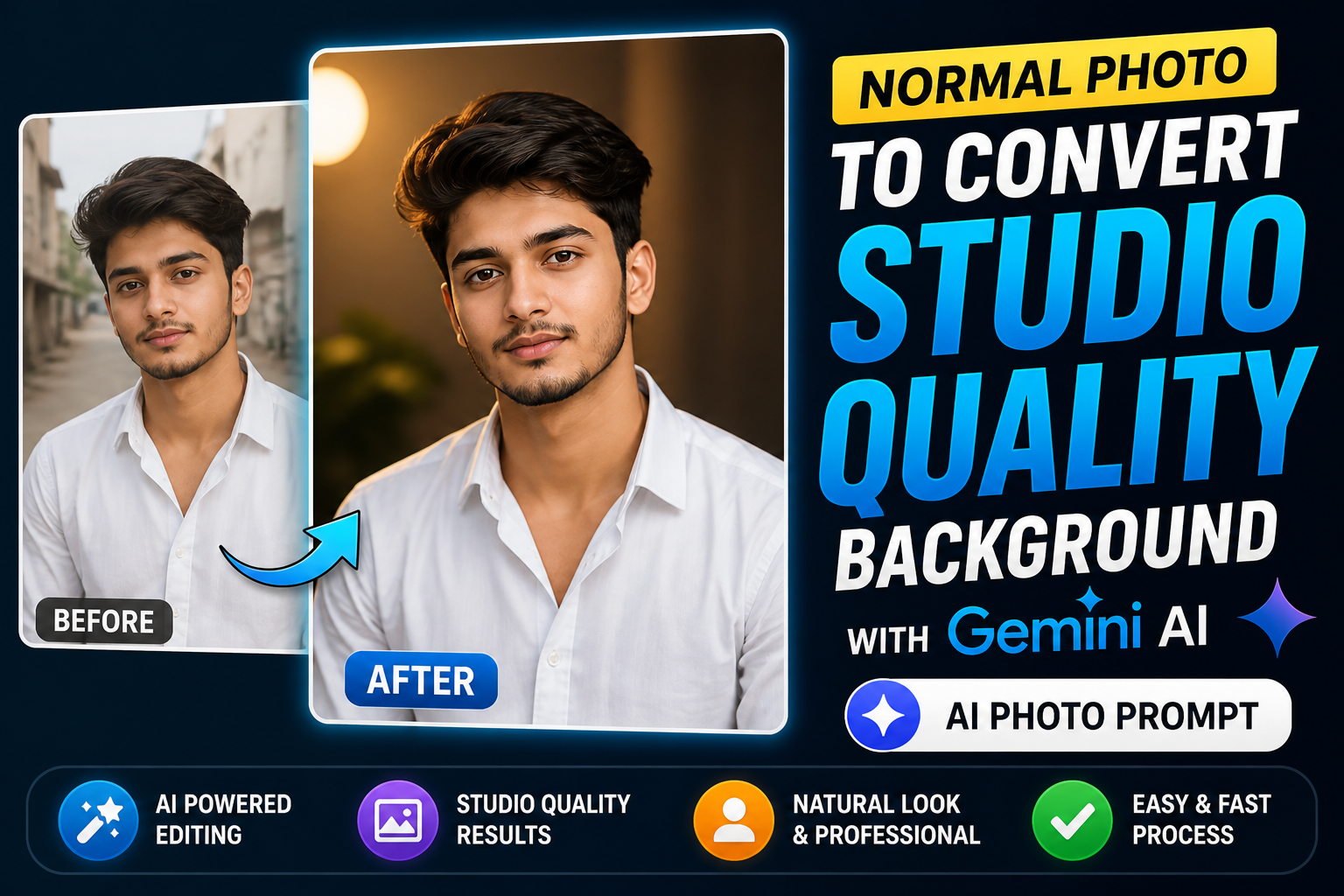
In 2026, turning a simple photo into a professional studio-quality image is no longer limited to photographers or expensive editing software. With the rise of AI-powered tools, anyone can enhance their images with clean, high-end backgrounds and polished lighting effects. One of the most powerful tools helping users achieve this transformation is Gemini AI.
Many people struggle with photos taken in messy environments, poor lighting, or distracting backgrounds. Instead of retaking photos or learning complex editing skills, AI tools now allow users to transform those images into studio-style visuals within minutes. This is especially useful for social media creators, profile pictures, business branding, and content marketing.
This guide will explain how to convert a normal photo into a studio-quality background using AI, what techniques work best, and how to achieve professional results even if you are a beginner.
Why Studio-Quality Backgrounds Matter
First Impression and Visual Appeal
In today’s digital world, your photo often represents your identity. Whether it is for social media, a profile picture, or a professional portfolio, a clean and high-quality image creates a strong first impression.
Studio backgrounds are designed to remove distractions and highlight the subject clearly. They use balanced lighting, smooth textures, and controlled colors to make the image look premium. Compared to normal photos, studio-style images appear more professional and visually appealing.
Importance for Social Media Growth
Platforms like Instagram prioritize visually engaging content. Clean and sharp images are more likely to attract attention, increase engagement, and improve profile aesthetics.
A studio-quality background helps your photo stand out in a crowded feed. It creates a polished look that can boost likes, shares, and overall visibility.
What Makes a Photo Look Like Studio Quality
Clean Background
Studio photos typically have simple and distraction-free backgrounds. These can be solid colors, soft gradients, or subtle textures that keep the focus on the subject.
Balanced Lighting
Lighting is one of the most important factors. Studio images use soft and even lighting that removes harsh shadows and highlights facial details clearly.
Sharp Focus and Depth
Professional images maintain a clear subject with a slight background blur. This creates depth and gives the image a premium feel.
Natural Colors
Studio photos avoid overly saturated or unrealistic colors. Instead, they maintain natural skin tones and balanced color grading.
How Gemini AI Helps Transform Photos
Smart Background Replacement
Gemini AI uses advanced algorithms to detect the subject and separate it from the background. This allows users to replace messy or dull backgrounds with clean studio-style visuals.
The AI understands edges, hair details, and lighting conditions, making the final result look realistic rather than artificial.
Automatic Lighting Enhancement
One of the biggest challenges in normal photos is poor lighting. Gemini AI automatically adjusts brightness, contrast, and shadows to create a balanced and professional look.
This feature ensures that even photos taken in low-light conditions can be improved significantly.
Realistic Depth and Blur Effects
To mimic studio photography, AI tools add subtle depth effects. This includes background blur and subject sharpening, which helps in creating a professional appearance.
These effects are applied carefully to maintain realism and avoid over-editing.
Steps to Convert a Normal Photo into Studio Quality
Step 1: Choose a Good Base Image
Even though AI can enhance photos, starting with a clear image improves results. Use a photo where the subject is visible and not heavily blurred.
Step 2: Upload to Gemini AI Tool
Upload your photo to the Gemini AI platform. The tool will automatically analyze the image and prepare it for editing.
Step 3: Select Studio Background Style
Choose a background that matches your purpose. For professional use, neutral colors like white, grey, or soft gradients work best. For creative content, you can choose textured or themed backgrounds.
Step 4: Adjust Lighting and Tone
Use AI suggestions to improve lighting. Adjust brightness, contrast, and color balance if needed. Keep the changes natural for the best results.
Step 5: Apply Depth and Final Enhancements
Add slight background blur and sharpen the subject. Make final adjustments to ensure the image looks clean and realistic.
Common Mistakes to Avoid
Over-Editing the Image
Adding too many effects can make the image look unnatural. Keep edits minimal and realistic.
Choosing the Wrong Background
A background that does not match the lighting or mood of the subject can look fake. Always choose a background that blends well with the original image.
Ignoring Lighting Consistency
If the subject lighting and background lighting do not match, the image may look unrealistic. Ensure both elements are aligned.
Using Low-Quality Images
AI works best with clear images. Low-resolution photos may not produce high-quality results.
Tips for Better Studio Results
Use Natural Expressions
Images with natural expressions look more authentic and engaging. Avoid overly posed or forced looks.
Maintain Proper Framing
Keep the subject centered and well-framed. This improves the overall composition.
Match Colors Carefully
Ensure that the background color complements the subject’s outfit and skin tone.
Keep It Simple
Simple edits often produce the best results. A clean and minimal approach works better than complex designs.
Who Can Benefit from This Technique
Social Media Creators
Creators can improve their profile images and posts, making their content more attractive and professional.
Students and Job Seekers
A studio-quality photo is useful for resumes, LinkedIn profiles, and applications.
Business Owners
Professional images help in branding, marketing, and building trust with customers.
Everyday Users
Anyone can enhance their personal photos and create visually appealing images without technical skills.
Future of AI Photo Editing
AI photo editing is evolving rapidly. Tools like Gemini AI are becoming more advanced, offering better accuracy and more realistic results.
In the future, we can expect:
- Fully automated studio-quality transformations
- Real-time editing during photo capture
- Personalized editing styles based on user preferences
- Integration with social media platforms
These advancements will make professional-quality editing accessible to everyone.
Conclusion
Converting a normal photo into a studio-quality image is now simple and accessible thanks to AI tools like Gemini AI. With features like background replacement, lighting enhancement, and depth effects, users can achieve professional results without advanced skills.
The key to success is maintaining balance. Focus on clean backgrounds, natural lighting, and subtle enhancements to create realistic and visually appealing images. Whether you are a content creator, student, or business owner, studio-quality photos can significantly improve your digital presence.
By understanding the basics and avoiding common mistakes, anyone can transform ordinary photos into high-quality visuals that stand out in today’s competitive digital world.
FAQs
What is Gemini AI used for in photo editing?
Gemini AI is used to enhance photos by improving lighting, replacing backgrounds, and adding professional effects.
Can beginners use AI tools for editing?
Yes, most AI tools are beginner-friendly and require minimal technical knowledge.
Do I need a high-quality camera?
No, even smartphone photos can be enhanced using AI tools.
Is AI editing better than manual editing?
AI editing is faster and easier, but manual editing offers more control. Both have their advantages.
How long does it take to edit a photo?
With AI tools, editing can be completed within minutes.
Are studio-quality photos important for social media?
Yes, they improve visual appeal and increase engagement.
Can I use these images for professional purposes?
Yes, studio-quality images are suitable for resumes, portfolios, and branding.
Will AI editing replace photographers?
No, AI is a tool that supports creativity, but professional photography still has its own value.








